|
AI INSIGHTS
MARCH EDITION
| | | | | | INSIDE THIS ISSUE: Guide to Secure File Storage & Transfers
--------------------------------------------------
How To Spot Hidden Malware
--------------------------------------------------
10 Steps To Prevent A Data Breach |
Minimize Ransomware Damage
-----------------------------------------------------
7 Ways Using AI For Work Can Get Complicated
-----------------------------------------------------
8 Ways To Organize Your Devices For Productivity.
| | We love technology and we love helping people. Give me a call today for a quick (non-sales) chat to find out whether my team and I can help you better secure your data and get more out of your existing technology!
- Jaren Painter - VP of Sales & Marketing. | | | GUIDE TO SECURE FILE STORAGE AND TRANSFERS | | | File storage and transferring hold a very dear place in most people’s lives. However, the safety of files is really tough to maintain. In this guide, we are going to help you protect your files. We will explore ways to store and send files securely.
What is secure file storage?
Secure file storage protects your files. It prevents others from accessing your files or altering them in any way. Good storage grants protection to your files using locks. You alone can unlock such files. Types of secure storage
Files can be stored securely in various ways, as listed below.
1. Cloud
2. External hard drives
3. Encrypted USB drives
Cloud storage saves files on the internet. External drives save files on a device you can hold. Encrypted drives use special codes to lock files.
Why is secure file storage important?
Secure storage keeps your information private. It stops thieves from stealing your data. It also helps you follow laws about data protection.
Risks of unsecured storage
Unsecured files can lead to huge troubles, including but not limited to the following: | • Identity theft
• Financial loss
• Privacy breaches These risks give a reason why secure storage is important. You need to protect your personal and work files.
How Can I Make My File Storage Safer?
You can do so many things to make your storage safer, such as:
• Using strong passwords
• Enabling two-factor authentication
• Encrypting your files
• Keeping your software up to
date frequently
Strong passwords are hard to guess. Two-factor authentication adds an extra step to log in. Encryption scrambles your files so others can’t read them. Updates fix security problems in your software.
Best practices for passwords
Good passwords are important in keeping your files safer. Here are some tips:
• Use long passwords
• Mix letters, numbers, and symbols
• Don’t use personal info in passwords
• Use different passwords for each account
What is secure file transfer?
Secure file transfer is a way of sending files safely between individuals or devices. It prevents unauthorized access to files and prohibits modification of files while in transit. | The better methods of transfer protect the files with encryption.
Common secure transfer methods
Here are several ways to securely transfer files:
• Secure FTP (SFTP)
• Virtual Private Networks(VPNs)
• Encrypted email attachments
• Secure file-sharing services
How to Transfer Files Safely?
These steps will keep your files safer while in transit:
• Select a secure method of transfer
• Encrypt the file before you send it
• Give strong passwords for file
access Authenticate the recipient
• Send the access details separately
How to email attachments safely
• Encrypt important attachments
• Use a secure email service
• Avoid writing sensitive information
in the body of an email
• Double-check the recipient’s email
address
Ready to Secure Your Files?
Protect your data from thieves and snoopers. Use strong passwords, encryption, and safe methods of transfer.
Need help with secure file storage? Feel free to reach out today and let us walk you through setting up safe systems for your files to take the next step in protecting critical data. | | | | | | |
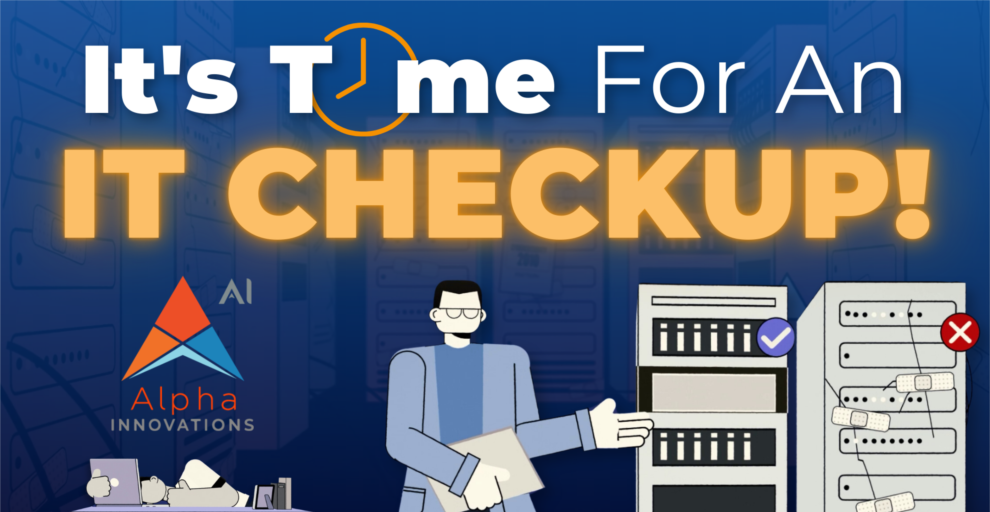
Got a minute? That's how long this video is to explain why you need an IT Checkup. Specifically to give you a true gauge on the technology of your business. What’s going well… and what needs immediate attention.
We get it. Reaching out to a Sales Professional can sometimes feel daunting but it’s the best way to discover what could be putting your business at risk of ransomware—and we promise a no-pressure, supportive conversation focused on your needs. | | | | | 24/7 Threat Monitoring & Response | Regulatory Compliance Support | Proactive Risk Mitigation | | | Tailored Protection for Your Industry | | | | HOW TO SPOT HIDDEN MALWARE ON YOUR DEVICES | | | Malware is bad software that can hurt your computer or phone. It can also make your device run slow and steal your info. Here is how you can spot hidden malware on your devices.
What is Malware?
The word “malware” is short for “malicious software.” It is a program that tries to harm your device or data. The most common types of malware are created by hackers looking to cause trouble.
There are lots of different types of malware.
Viruses
Viruses will spread from device to device. They can destroy your files or make your computer run really slow.
Trojans
Trojans act like they’re good programs, but they actually aren’t. They might steal your information.
Ransomware
Ransomware will lock your files. It will then ask you for money in exchange for your files.
How Does Malware Get on Your Device?
Malware can creep onto your device in so many ways: | Downloading Bad Files.
Sometimes you might download a file that has malware in it. Be careful what you click on!
Visiting Bad Websites.
Some websites can put malware on your device when you visit them.
Opening Weird Emails. Hackers can send emails with malware attached. Don’t open emails from people you don’t know.
What Are Signs of Hidden Malware?
Malware can be sneaky. But there are some signs to look out for:
• Sluggish Device
• Suspicious Pop-ups
• Battery Quickly Dies
• High Data Usage
How Can You Check for Malware?
• Use Antivirus Software. Antivirus programs can scan your device for malware. They can find and remove bad software.
• Check Your Apps. Look at all the apps on your device. Delete any that you don’t remember installing. • Look at Task Manager. Look for programs that use a lot of resources or have weird names.
• Check Your Browser. Check your browser extensions. Remove any that you do not use or recognize. | What to Do If You Discover Malware?
If you think you have malware, don’t panic! Here is what you should do:
• Update Your Software.
• Change Your Passwords.
• Backup Your Data.
How to Avoid Malware?
Better not to let malware onto your device at all. Here’s how:
• Keep Everything Up-to- Date.
Keep your operating system and
apps updated at all times.
• Be Careful What You Click.
Avoid clicking on any link or
downloading unless you are sure
it is safe.
• Use Strong Passwords.
Use different passwords for each
account.
• Use Antivirus Software.
Keep good antivirus software on
your device and run scans often.
If you need help with malware or online safety, contact us today. We’re here to help you stay safe in the digital world! | | | 10 STEPS TO PREVENT
A DATA BREACH | How To Minimize Ransomware Damage | 8 ways to organize your devices for productivity | | | Data breaches can harm your business. They can cost you money and trust. Let’s look at how to stop them from happening.
What is a data breach?
A data breach is when someone steals information. This can be names, emails, or credit card numbers. It’s bad for your customers and your business.
Why should you care about data breaches? Data breaches are terrible things. They will cost you money. Perhaps your customers will stop trusting you. You may even be fined. It is vital to try to prevent them from occurring in the first place.
How do you prevent a data breach?
Here are 10 steps to help keep your data safe:
• Use strong passwords.
Include letters,
numbers, and symbols.
Do not use the same
password for all of your
accounts.
• Update your software.
Updates usually patches | security holes. Have
your computer set to
update automatically.
• Train your employees.
Teach them how to
identify fake emails.
Inform them to not click
on suspicious links.
• Use encryption.
Encryption scrambles
your data.
• Limit access to data.
Only give people access
to what they need for
their work.
• Create backups of your
data. Keep these copies
in a safe location.
• Use a firewall. A firewall
acts like a guard for your
computer.
• Be careful with emails.
Almost every data
breach starts with a trick
email.
• Protect your Wi-Fi. Use
a strong password on
your Wi-Fi.
• Have a plan. Know
whom to contact and
what you should do. Do
a practice drill so you
are ready if there is an
intrusion.
Even with good plans, data breaches can still happen. If one does, take action quickly. Fix the problem that led to the breach. Then, use what you learned from that mistake to make your security better. | There are many ways to stop ransomware before it hurts you. Here are some key steps:
• Keep your software up to date. Always keep your computer and programs up to date. Updates often fix problems that ransomware uses to get in.
• Use good antivirus software. Get strong antivirus software. Keep it turned on and updated. It can detect many kinds of ransomware.
• Be careful with emails. Don’t open emails from people you don’t know. Don’t click links or download files unless you are sure they’re safe.
• Back up your files. Copy your most important files and store them on something other than your primary computer. That way, if ransomware locks your files, you’ll still have copies.
Ransomware is a serious threat, but you can protect yourself. | • Declutter home screen. Remove unused apps and group similar ones.
• Organize files and folders. Set up logical folders and house clean now and then
• Organize email. Create folders and labels. Unsubscribe to unwanted emails.
• Optimize browser. Organize your bookmarks and clear your cache regularly.
• Manage passwords. Use a password manager and set up 2FA.
• Streamline notifications. Turn off unnecessary notifications and use DND mode.
• Backup data. Set up automatic backups.
• Maintain device health. Update software regularly and run regular scans. | | | | 7 WAYS USING AI FOR WORK CAN GET COMPLICATED AI is going to change how we work. It can make some tasks easier. But it can also cause problems. Let’s look at some ways AI can make work tricky.
Where can AI go wrong?
• Incorrect Information It may mix up facts or use data that is too old.
• Weird outputs It may write utter nonsense or create odd images.
• Biases AI can be biased since it learns from data given to it by humans.
• Job Loss Some people fear that AI will steal their jobs.
• New skills needed AI also needs workers to acquire new skills.
• Teamwork The use of AI can affect teamwork between humans.
• Privacy AI requires a lot of data to operate, which causes privacy concerns.
AI can be helpful at work, but it’s not perfect. We have to use it with care. If you have questions about using AI at your job, contact us today. We can help you use AI in a smart and safe way. | | |
Alpha Innovations: YOUR PARTNER IN TRANSFORMING TECHNOLOGY COMPLEXITY INTO BUSINESS CAPABILITY!
| | | | |
Headquarters
Phone: 304.201.7485
Email:salesgroup@alpha-tech.us
4003 Outlook Drive
Hurricane, WV 25526
Global Data Center
West Virginia Regional Technology Park
2020 Union Carbide Drive, Building 6000
South Charleston, WV 25303
| Home About Services Media Events Contact | | | We sent this message to all existing Alpha Innovations customers and prospects. If you no longer wish to receive these emails, please use the unsubscribe button below. @2025 Alpha Innovations. All Rights Reserved |
Legal:
• Privacy Policy
| | |